 PC Tweaker 64 bit 1.20.3
| Full internal name: | pc-tweaker64 |
| Project site: | https://pctweaker.app/ |
| Screen shots: | 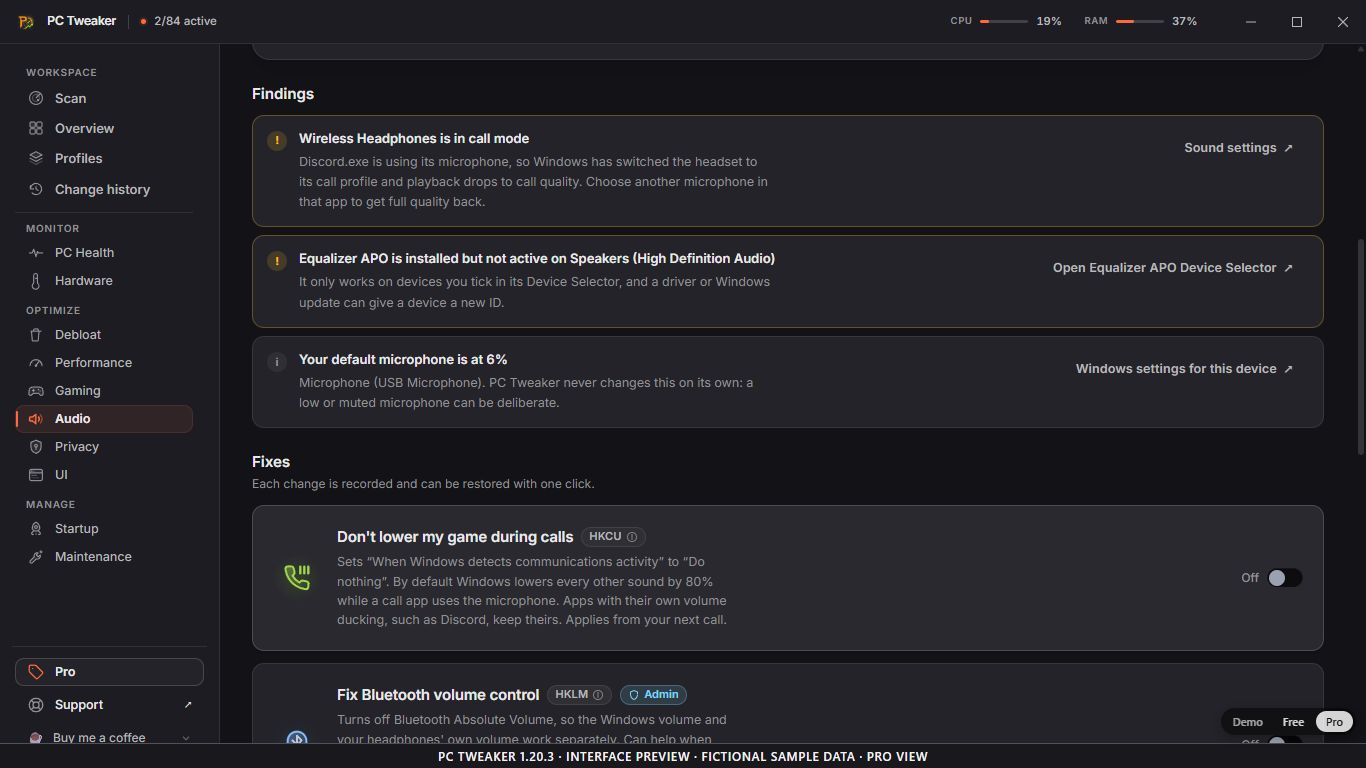 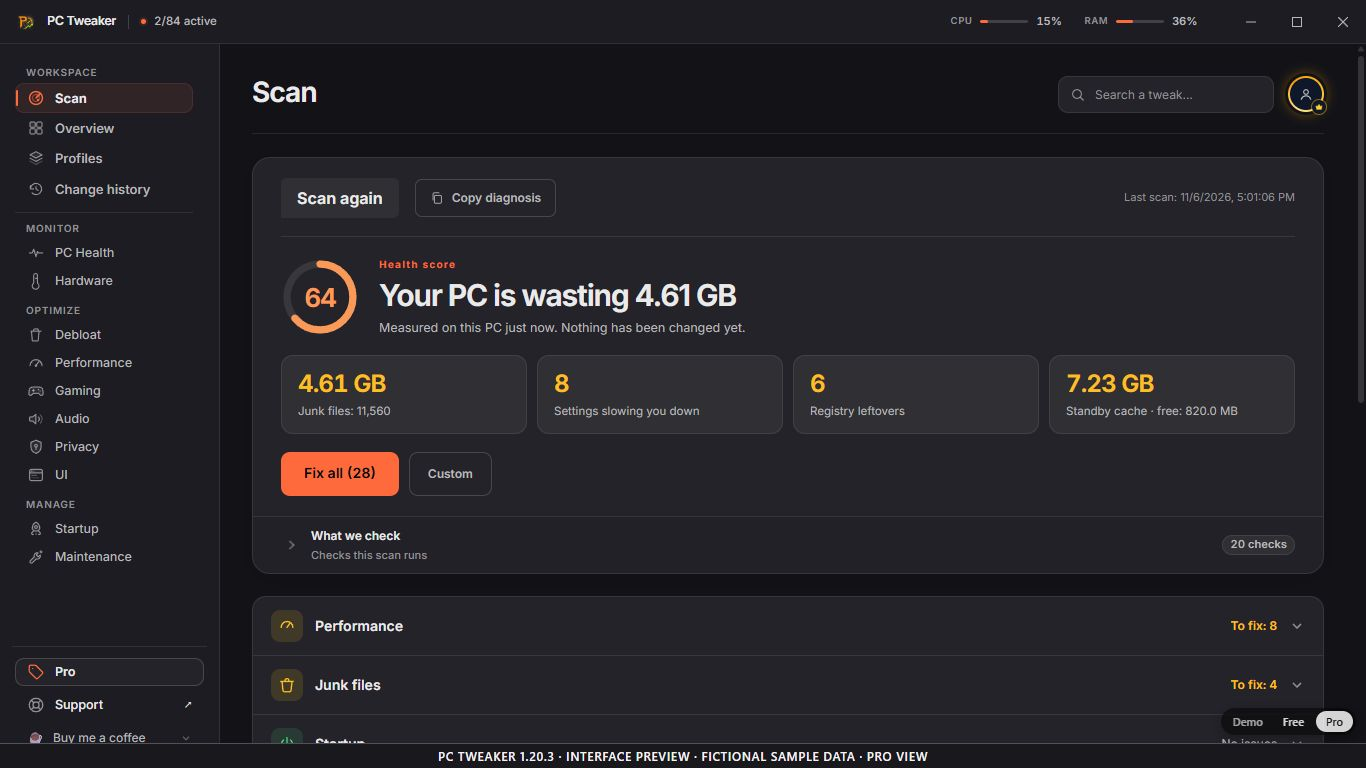 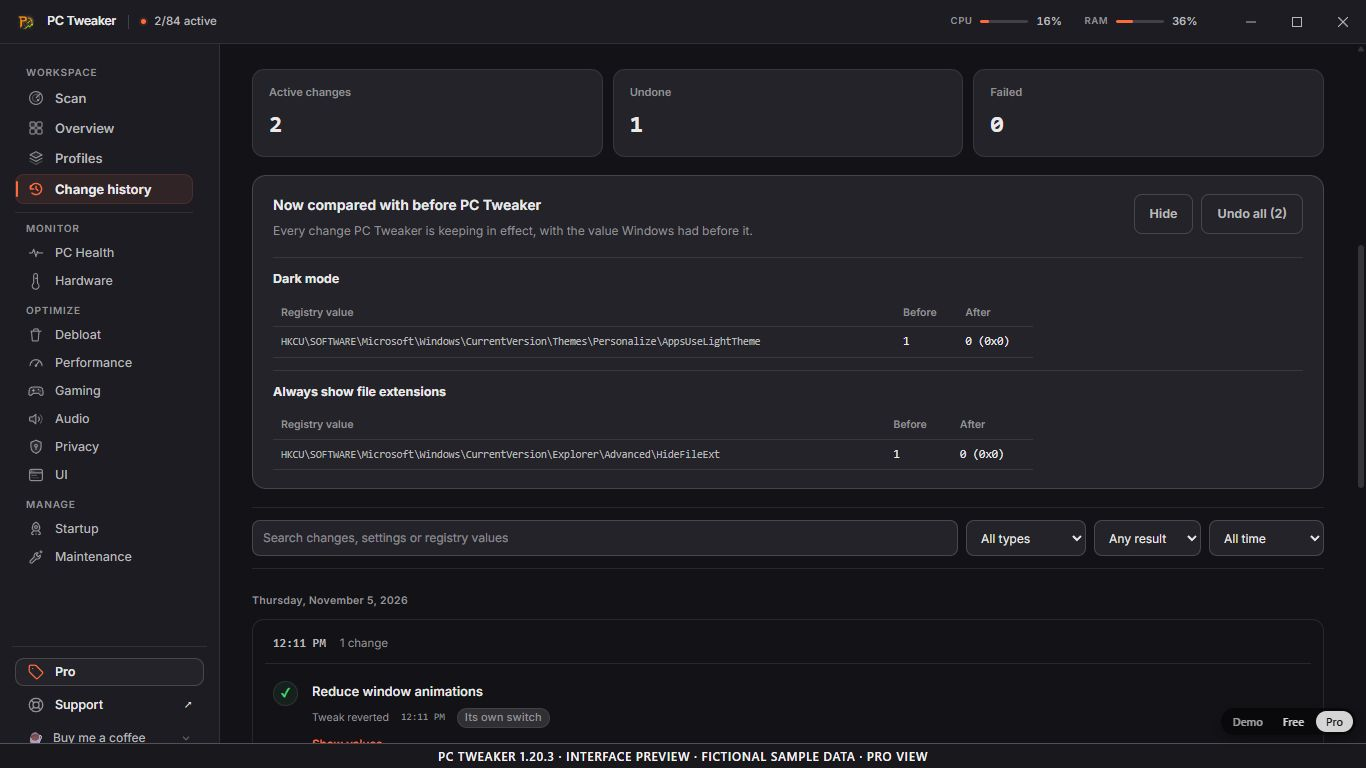 |
| Download: | Download PC Tweaker 64 bit 1.20.3 https://github.com/AurelioAvila/pc-tweaker-app/releases/download/v1.20.3/pc-tweaker-app_1.20.3_x64-setup.exe VirusTotal results |
| Change log: | https://github.com/AurelioAvila/pc-tweaker-app/releases |
| Description: | See what Windows is doing before you change it. A Windows 10/11 x64 tuning, privacy and maintenance app with scan findings, hardware information and audio diagnostics. Inspect individual changes before deciding what to apply; scanning does not apply tweaks or install drivers. Release 1.20 adds playback and recording device details, Bluetooth call-mode findings and Equalizer APO status. A read-only 10-second DPC/ISR trace requires administrator approval and can help identify drivers worth investigating; a finding does not establish the cause of an audio problem. Start with 48 Free controls without an account. Optional paid Pro adds 36 controls and advanced workflows. Change history records supported settings and their previous state. Restoration cannot recover permanently deleted caches or replace a backup. Results depend on the system; no universal performance gain is promised. Proprietary/freemium software developed by Aurelio Avila, not open source. The official 1.20.3 installer has a verified Aurelio Avila publisher signature and DigiCert timestamp; the packaged download versions remain listed above. The gallery shows the 1.20.3 frontend at 1366 × 768 with visible fictional sample-data and Pro-view labels, not real-PC measurements or customer results. Version 1.20.3 is routine maintenance; Audio was introduced in 1.20.0. |
| License: | unknown |
| Version: | 1.20.3 |
| SHA-1 or SHA-256: | 059b8c6990d5cedb9f8b073f6f573a39d77e9fbc6bcc2b9c62d5ef81fa0d44ef |
| Type: | one file |
| Dependencies: |
|
| Tags: | |
| Text files: | .Npackd\Install.bat: @echo off if not defined NPACKD_PACKAGE_BINARY exit /b 2 if not exist "%NPACKD_PACKAGE_BINARY%" exit /b 2 powershell.exe -NoLogo -NoProfile -NonInteractive -File ".Npackd\Guard.ps1" -Operation Install if errorlevel 1 exit /b %errorlevel% "%NPACKD_PACKAGE_BINARY%" /S /D=%CD% if errorlevel 1 exit /b %errorlevel% if not exist "PC Tweaker.exe" exit /b 3 if not exist "uninstall.exe" exit /b 4 exit /b 0 .Npackd\Uninstall.bat: @echo off if not exist "uninstall.exe" exit /b 2 powershell.exe -NoLogo -NoProfile -NonInteractive -File ".Npackd\Guard.ps1" -Operation Uninstall if errorlevel 1 exit /b %errorlevel% "uninstall.exe" /S _?=%CD% if errorlevel 1 exit /b %errorlevel% if exist "PC Tweaker.exe" exit /b 5 exit /b 0 .Npackd\Guard.ps1: param([Parameter(Mandatory = $true)][ValidateSet('Install', 'Uninstall')][string]$Operation)
$ErrorActionPreference = 'Stop'
function Get-ProductRegistrations {
foreach ($hive in @([Microsoft.Win32.RegistryHive]::CurrentUser, [Microsoft.Win32.RegistryHive]::LocalMachine)) {
foreach ($view in @([Microsoft.Win32.RegistryView]::Registry32, [Microsoft.Win32.RegistryView]::Registry64)) {
$base = [Microsoft.Win32.RegistryKey]::OpenBaseKey($hive, $view)
try {
$root = $base.OpenSubKey('Software\Microsoft\Windows\CurrentVersion\Uninstall', $false)
if ($null -eq $root) { continue }
try {
foreach ($name in $root.GetSubKeyNames()) {
$item = $root.OpenSubKey($name, $false)
if ($null -eq $item) { continue }
try {
$displayName = [string]$item.GetValue('DisplayName', '')
if ($displayName -in @('PC Tweaker', 'pc-tweaker-app')) {
[pscustomobject]@{ Name = $displayName; Directory = [string]$item.GetValue('InstallLocation', '') }
}
} finally { $item.Dispose() }
}
} finally { $root.Dispose() }
} finally { $base.Dispose() }
}
}
}
try {
$registrations = @(Get-ProductRegistrations)
if ($Operation -eq 'Install') {
if ($registrations.Count -gt 0) {
Write-Output 'An existing PC Tweaker installation was found. It has not been changed.'
exit 10
}
} else {
if ($registrations.Count -eq 0) { exit 12 }
$expected = [IO.Path]::GetFullPath((Get-Location).Path).TrimEnd([IO.Path]::DirectorySeparatorChar)
foreach ($registration in $registrations) {
if ([string]::IsNullOrWhiteSpace($registration.Directory)) { exit 12 }
$directory = $registration.Directory
# The installer writes InstallLocation surrounded by double quotes.
if ($directory.Length -ge 2 -and $directory[0] -eq '"' -and $directory[$directory.Length - 1] -eq '"') {
$directory = $directory.Substring(1, $directory.Length - 2)
}
$actual = [IO.Path]::GetFullPath($directory).TrimEnd([IO.Path]::DirectorySeparatorChar)
if (-not [string]::Equals($actual, $expected, [StringComparison]::OrdinalIgnoreCase)) {
Write-Output 'The registered installation does not belong to this package directory.'
exit 12
}
}
}
exit 0
} catch {
Write-Error -ErrorAction Continue ('Cannot verify the existing installation: ' + $_.Exception.Message)
exit 11
}
|
| Last modified: | Fri Nov 06 22:38:38 UTC 2026 |
| Last modified by: | canadesino... |
| Created: | Fri Nov 06 22:38:38 UTC 2026 |
| Created by: | canadesino... |
| Automated tests: | 0 of 0 installations succeeded, 0 of 0 removals succeeded |